
Download ModelCAD 3000 – CAD Tool for Modelers, Scale Drawing, 3D Design, Precision Modeling
Overview
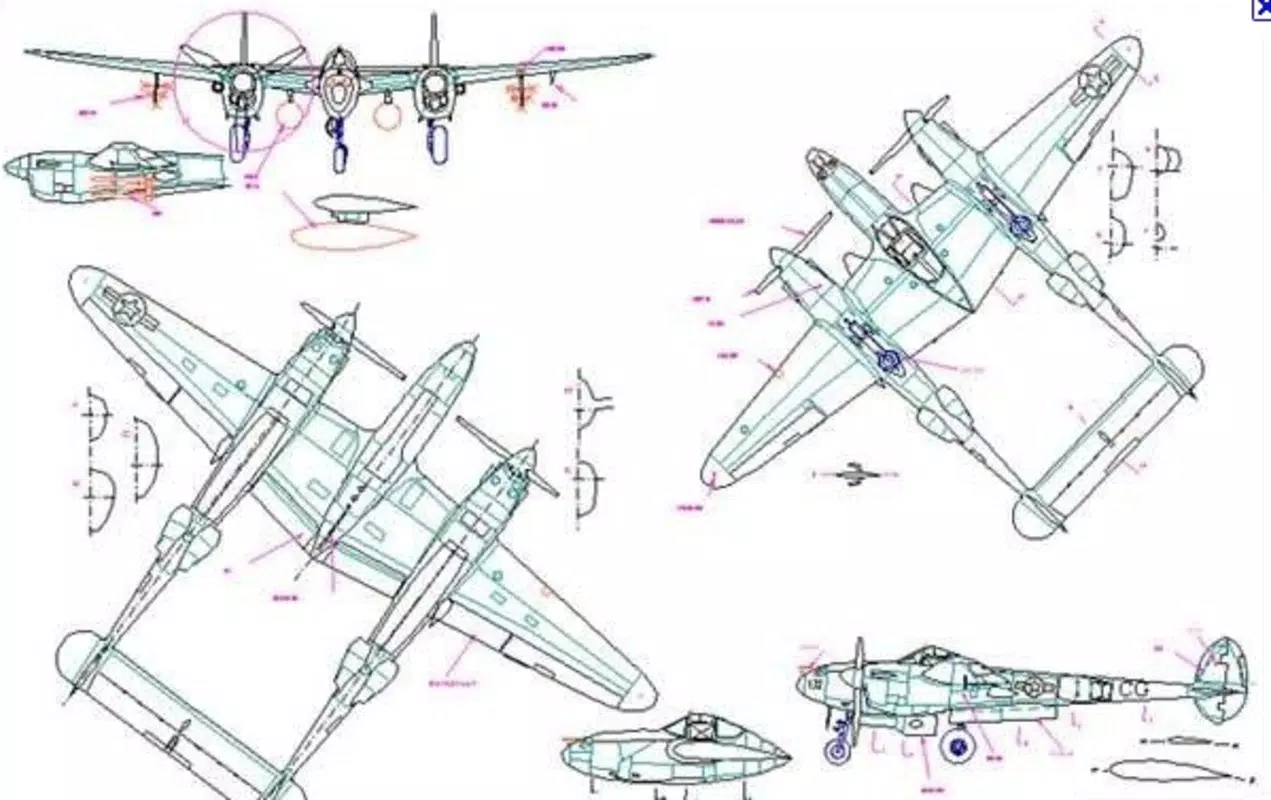
ModelCAD 3000 is a specialized computer-aided design (CAD) application developed for precision modeling and scale drawing, primarily serving hobbyists and enthusiasts in the field of model building. Designed for use on Windows platforms, the software caters to individuals constructing detailed models of aircraft, boats, cars, and trains, offering tools that support intricate planning and accurate scaling. Its core purpose lies in transforming conceptual ideas into precise, printable blueprints that maintain proportional fidelity across various scales.
The application addresses the common challenges faced by modelers, such as maintaining dimensional accuracy, managing complex geometries, and producing reliable print-ready designs. By streamlining these processes, ModelCAD 3000 reduces the margin for error and enhances the overall crafting experience. The developer, ModelCAD Software, has positioned the tool as a dedicated utility for serious hobbyists who value technical precision and workflow efficiency.
Although the developer did not provide additional technical details about their background, the long-standing release date of 2007 suggests a legacy application with a dedicated user base. Real-world use cases include preparing detailed plans for model kits, reverse-engineering existing models, and customizing scale components for personal builds. In the broader software ecosystem, ModelCAD 3000 occupies a niche role as a specialized productivity tool that bridges digital design and physical craftsmanship, offering a focused solution where general-purpose CAD tools may fall short.
Key Features & Functionality
- User-Friendly Interface: The application features a layout designed to simplify access to essential tools, enabling both new and experienced users to navigate efficiently. This intuitive design reduces the learning curve and allows users to focus on creativity rather than software complexity.
- Precision Designing Tools: Advanced tools support high-accuracy modeling, allowing users to define exact dimensions and maintain consistent scaling across complex structures. This is critical for ensuring that final printed components align perfectly with intended proportions.
- Comprehensive Printing Options: Users can generate print-ready files at specified scales, ensuring that physical plans match the actual size of the model. This feature is especially valuable for hobbyists who rely on precise paper templates for cutting and assembly.
- Variety of Model Types: The software supports a broad range of model categories, including aircraft, boats, cars, and trains. This versatility makes it a flexible choice for modelers working across multiple disciplines.
- Support and Community Resources: Access to forums and tutorials helps users improve their skills, troubleshoot issues, and share custom designs. This collaborative environment enhances the long-term value of the application.
For example, a model airplane enthusiast can use the precision tools to draft wing profiles with exact chord lengths and angles, then export a scaled printout to transfer to balsa wood. Similarly, a train modeler might use the software to design a detailed cab section, ensuring all dimensions are proportionally correct for a 1:87 scale layout. These practical applications demonstrate how the features translate into tangible benefits, improving accuracy and reducing material waste during construction.
Interface, UX & Performance
The user interface of ModelCAD 3000 is structured around usability, with toolbars, menus, and workspace layouts optimized for efficient access to design functions. The visual style emphasizes clarity and functionality, minimizing distractions to keep users focused on their modeling tasks. Navigation is consistent across workflows, allowing users to switch between drawing, scaling, and printing modes with minimal effort.
While the developer did not list formal performance metrics, the application’s long-standing presence on Windows suggests a stable and reliable operation. Although the developer did not specify minimum OS requirements or device compatibility, the software has been used successfully on a range of Windows systems over the years. Responsiveness appears to be adequate for typical modeling tasks, such as resizing components, adjusting angles, and generating print outputs.
Stability is likely maintained through years of iterative updates, even if not explicitly documented. The lack of real-time collaboration or cloud integration indicates a standalone desktop experience. Overall, the user experience reflects a mature application designed for focused, single-user workflows rather than dynamic or networked environments.
For users accustomed to modern design tools, the interface may appear dated, but its functionality remains effective for its intended purpose.
Platform Compatibility & Technical Requirements
ModelCAD 3000 is designed for the Windows operating system. The application has a file size of 150 MB, which is relatively compact for a CAD tool, suggesting efficient resource management. The software version is 3.2.1, indicating a mature release with established features.
The release date of February 19, 2007, places it among older applications, yet it continues to serve its user base. Although the developer did not specify minimum OS requirements, it is likely compatible with a range of Windows versions, including older ones such as Windows XP, Vista, and 7, given its age. However, compatibility with newer Windows releases, such as Windows 11, cannot be confirmed without official documentation.
The absence of information regarding hardware specifications, such as RAM or processor requirements, limits the ability to assess performance on low-end systems. Users are advised to test the application on their specific device to ensure smooth operation. The lack of mobile or cross-platform availability confirms that ModelCAD 3000 is strictly a desktop utility, not available for Android or iOS devices.
Pros and Cons
Pros
- Designed specifically for modelers, offering targeted functionality for scale drawing and blueprint creation.
- Intuitive interface reduces the learning curve for new users.
- Supports multiple model types, including aircraft, boats, cars, and trains.
- Prints designs to scale, ensuring accurate physical replication.
- Long-standing presence indicates reliability and a stable user base.
Cons
- Not available on mobile platforms such as Android or iOS.
- Outdated release date raises concerns about modern OS compatibility.
- Developer did not provide detailed system requirements or technical specifications.
- Limited to Windows, restricting cross-platform access.
- May lack modern features like cloud sync, real-time collaboration, or 3D rendering.
FAQ
Is ModelCAD 3000 available for Android or iOS?
ModelCAD 3000 is designed exclusively for Windows and is not available on Android or iOS platforms.
Can I use ModelCAD 3000 to print scale plans for my model?
Yes, the software includes comprehensive printing options that allow users to generate accurate, scale-specific printouts for model construction.
Is the software secure to download and install?
As a desktop application with a long history, ModelCAD 3000 is generally considered safe when downloaded from official sources. Always ensure the source is reputable to avoid potential risks.
Does ModelCAD 3000 require an internet connection?
While the software does not require an internet connection to function, access to community forums and tutorials may require online connectivity.
How often is ModelCAD 3000 updated?
The developer has not provided information on update frequency. The current version is 3.2.1, released in 2007, suggesting infrequent updates.
Final Thoughts + CTA
ModelCAD 3000 remains a dependable solution for hobbyists committed to precision in scale model building. Its focused feature set, intuitive interface, and strong support for printing scaled designs make it a valuable tool for enthusiasts working with aircraft, boats, cars, and trains. While the software’s age and lack of modern features may deter users seeking cutting-edge capabilities, its core functionality continues to deliver real-world value.
The absence of mobile availability and limited technical documentation are notable drawbacks, but they do not diminish its effectiveness for its intended audience. For modelers who prioritize accuracy, simplicity, and proven reliability over flashy enhancements, ModelCAD 3000 offers a solid, no-frills experience. Its enduring relevance speaks to its well-designed purpose and loyal user community.
If you're looking for a dedicated CAD tool that bridges digital design and physical crafting, this application is worth considering. Download ModelCAD 3000 now.


